register umobile 5G home id,.

# Register U Mobile 5G Home ID: Complete Guide to Managing Your Broadband
U Mobile’s **U Home 5G** has revolutionized home internet in Malaysia by offering fiber-like speeds without the need for complicated wiring or technician visits. With a simple plug-and-play 5G router, you can instantly connect your household to ultra-fast, uncapped 5G speeds.
Once your U Home 5G SIM and router are active, the next critical step is to register and set up your digital account—often referred to as your U Mobile ID. This allows you to monitor your data usage, pay bills, and manage your subscription effortlessly. If you are looking for more digital lifestyle solutions, software tools, or tech registration portals, you can explore resources at [https://www.websteresoftware.com/](https://www.websteresoftware.com/).
Here is everything you need to know about setting up your U Mobile 5G Home ID via the official MyUMobile platform.
## Step-by-Step Guide to Registering Your ID
Managing your U Home 5G plan is done primarily through the **MyUMobile App**. Setting up your digital ID takes just a few minutes.
1. **Download the MyUMobile App:** Available on iOS, Android, and Huawei.
Start by downloading the official MyUMobile App from the Apple App Store, Google Play Store, or Huawei AppGallery.
2. **Choose ‘Broadband’ on the Launch Screen:** Select the correct service type.
Open the app. On the main welcome or login screen, ensure you select the **Broadband** tab rather than the standard Postpaid/Prepaid mobile tab. This ensures the system looks for your U Home 5G broadband account.
3. **Enter Your Details:** Use the credentials tied to your registration.
Set up your account by entering the email address or phone number you used when applying for your U Home 5G plan. You will also be prompted to create a secure password for your new digital ID.
4. **Complete OTP Verification:** Secure your account.
U Mobile will send a One-Time Password (OTP) to your registered contact method. Enter this 6-digit pin into the app to verify your identity and officially activate your ID.
5. **Log In and Explore:** Manage your WiFi instantly.
Tap **Login** using your new credentials. Your dashboard will now display your U Home 5G plan, showing your billing cycle, payment history, and current data consumption.
## Why You Need a U Mobile Digital ID
Because U Home 5G is a SIM-based broadband service, it operates differently from traditional fiber connections. Registering your ID and using the app provides several essential benefits:
* **Track Your Usage:** While U Home 5G offers “unlimited” internet, it operates on a generous 1,000GB (1TB) Fair Usage Policy (FUP). Your dashboard allows you to monitor exactly how much data you have consumed in real-time.
* **Purchase Add-Ons:** If you happen to exceed the 1,000GB FUP limit and your speeds are managed, you can instantly purchase another 1,000GB of uncapped high-speed data directly through the app without needing to visit a physical store.
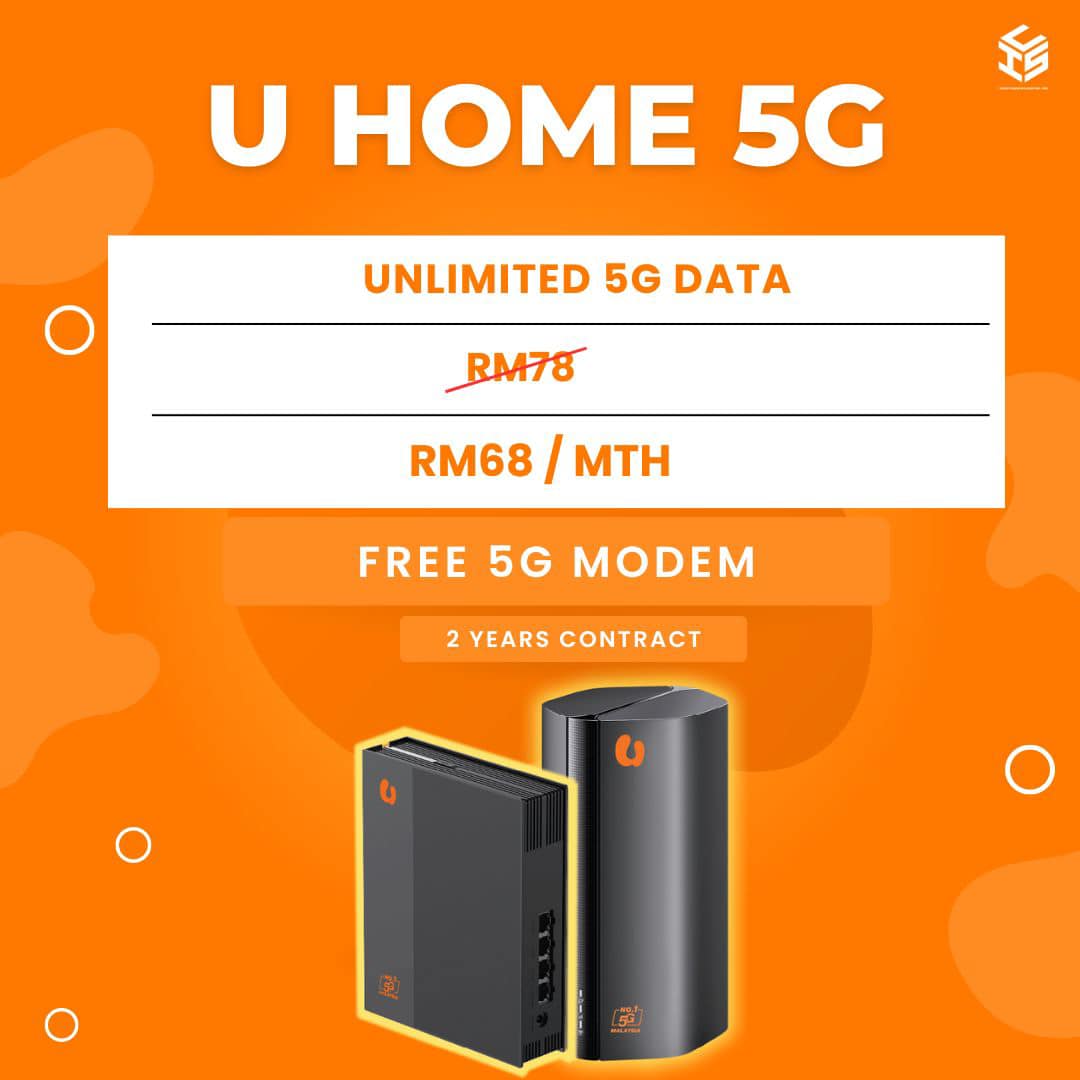
* **Seamless Bill Payments:** Link a credit/debit card or use online banking to pay your monthly RM68 fee securely.
* **Exclusive Rewards:** Your ID grants you access to U Mobile’s rewards ecosystem, letting you redeem lifestyle, dining, and entertainment perks just for being a subscriber.
Need broadband for home or your business in Malaysia?
Click on the link below to check the address and registration online


Registration, broadband installation in Malaysia
Please provide your full address ( no unit / lot , floor , building , park etc ) for review
For further inquiries , please contact us ( online form )
or via email : ✉[email protected]
Why register with us ?
- TRUSTED : We are an authorized and registered agent for broadband Malaysia .
- SAVE : No need to broadband center , crammed in traffic , looking for parking and so on .
- EASY : Questions and registration is done by email / online .
- QUICK : Registration is fast 15-30minit after the personal details and documents obtained .
- Installation can be scheduled as early as 2-3 days .
- ALWAYS HAVE to answer your questions about the package , coverage and related questions .
- Experience more than 1 years in the registry and install broadband in Malaysia .
- TRUE : We gave the correct answer , without exception , without any doubt .
- HELP : If you have problems port full / missing units / etc. we ‘re here to help .
- SAFE : Information and personal data safe without any violation of privacy .
Please check coverage , see the package broadband , register online or contact us for more information .

Application No deposit charges

Installation Save RM200 with free installation ( limited offer )

Free Equipment Modem , WiFi router , STB set and wireless DECT phones are free ( worth RM800 )

Free Call Talk more with free calls all over the country ( Malaysia )
This is our free channels 免费视频, Love, Like, Share, View, fyp
AI Software Channels AI神器推介
AI Hardware Channels AI硬件推荐
Renewable Energy Channels 比利珍藏
Love, Like, Share, View, fyp