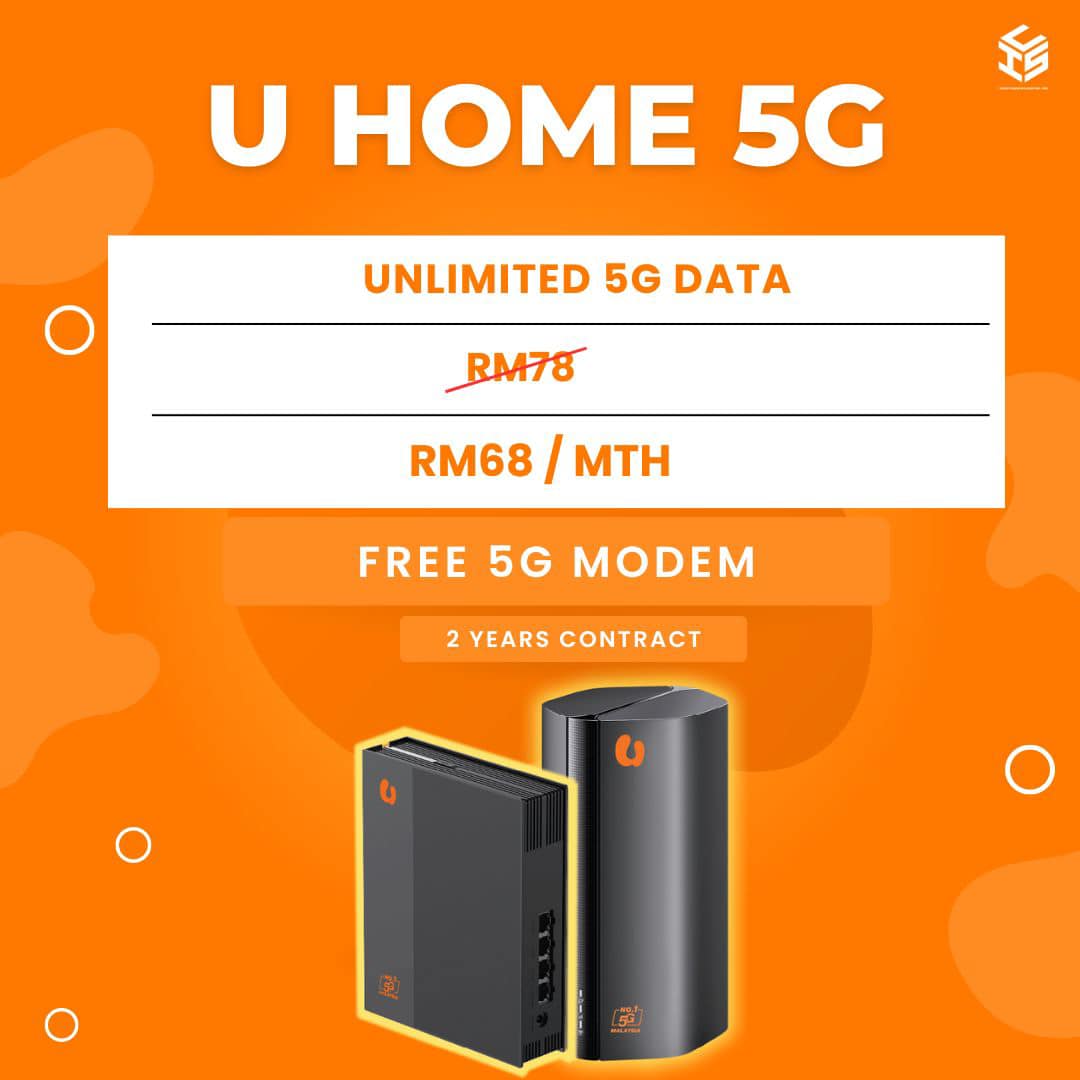
register umobile 5G home,.

# Register U Mobile 5G Home: Complete Guide & Registration Steps
Upgrading your household internet with **U Mobile 5G Home WiFi** (U Home 5G) provides fibre-like internet speeds without requiring complicated wiring or wall drilling. Whether you live in a high-rise apartment, a rented house, or an area without fibre coverage, wireless 5G home broadband offers a plug-and-play solution.
For software solutions, web development services, and tech integration resources to complement your high-speed connectivity, visit [Webster Software](https://www.websteresoftware.com/).
## Why Choose U Mobile 5G Home WiFi?
U Mobile’s **U Home 5G** plan is designed to deliver high-speed wireless connectivity to multiple devices across your home. Key features include:
* **Plug & Play Setup:** No installer visits or wall drilling required. Simply insert the SIM card, plug in the router, and connect.
* **Ultra-Fast 5G Speeds:** Stream 4K movies, participate in video conference calls, and game online without buffering.
* **Free Wi-Fi 6 Router Option:** Subscribers choosing the 24-month commitment plan can receive a free Wi-Fi 6 5G router.
* **Multi-Device Support:** Connect laptops, smart TVs, smartphones, and smart home appliances simultaneously.
## Plan Options Comparison
| Feature | U Home 5G (SIM + Router) | U Home 5G (SIM Only) |
| **Monthly Fee** | Starting from RM68/mth | RM68/mth |
| **Router** | Included (Wi-Fi 6 5G Router) | Bring Your Own 5G Router |
| **Contract** | 24-Month Commitment | No Commitment / Contract-Free |
| **Setup** | Insert SIM & Power On | Insert SIM into compatible router |
## How to Register for U Mobile 5G Home Broadband
Registering for U Mobile 5G Home is quick and can be completed entirely online or in-store. Follow these simple steps:
### Step 1: Check 5G Coverage
Before signing up, verify that your residence is within U Mobile’s 5G coverage zone. You can check coverage on the official U Mobile portal by entering your address or postcode.
### Step 2: Prepare Required Documents
Have the following valid identification documents ready:
* **Malaysian Citizens / Permanent Residents:** MyKad / NRIC.
* **Non-Malaysian Citizens:** Valid Passport (Note: Non-Malaysians require a RM500 deposit for hardware bundling).
### Step 3: Choose Your Plan
Decide whether you need a bundled Wi-Fi 6 5G router (24-month contract) or the SIM-only plan if you already own a compatible 5G broadband router.
### Step 4: Complete Online Registration
1. Visit the official U Mobile website or an authorized U Mobile store/reseller.
2. Select **U Home 5G** under the home broadband section.
3. Fill in your delivery details, contact number, and upload your ID verification.
4. Make the initial advance upfront payment required at checkout.
### Step 5: Receive and Activate
Once your order is processed, your U Home 5G package (SIM card and/or 5G Router) will be delivered directly to your doorstep.
1. **Unbox** your 5G router and SIM card.
2. **Insert** the U Mobile 5G SIM card into the router’s SIM slot.
3. **Plug** the power adapter into an outlet and switch it on.
4. Connect your devices via Wi-Fi using the default SSID and password printed on the router label.
Need broadband for home or your business in Malaysia?
Click on the link below to check the address and registration online


Registration, broadband installation in Malaysia
Please provide your full address ( no unit / lot , floor , building , park etc ) for review
For further inquiries , please contact us ( online form )
or via email : ✉[email protected]
Why register with us ?
- TRUSTED : We are an authorized and registered agent for broadband Malaysia .
- SAVE : No need to broadband center , crammed in traffic , looking for parking and so on .
- EASY : Questions and registration is done by email / online .
- QUICK : Registration is fast 15-30minit after the personal details and documents obtained .
- Installation can be scheduled as early as 2-3 days .
- ALWAYS HAVE to answer your questions about the package , coverage and related questions .
- Experience more than 1 years in the registry and install broadband in Malaysia .
- TRUE : We gave the correct answer , without exception , without any doubt .
- HELP : If you have problems port full / missing units / etc. we ‘re here to help .
- SAFE : Information and personal data safe without any violation of privacy .
Please check coverage , see the package broadband , register online or contact us for more information .

Application No deposit charges

Installation Save RM200 with free installation ( limited offer )

Free Equipment Modem , WiFi router , STB set and wireless DECT phones are free ( worth RM800 )

Free Call Talk more with free calls all over the country ( Malaysia )
This is our free channels 免费视频, Love, Like, Share, View, fyp
AI Software Channels AI神器推介
AI Hardware Channels AI硬件推荐
Renewable Energy Channels 比利珍藏
Love, Like, Share, View, fyp